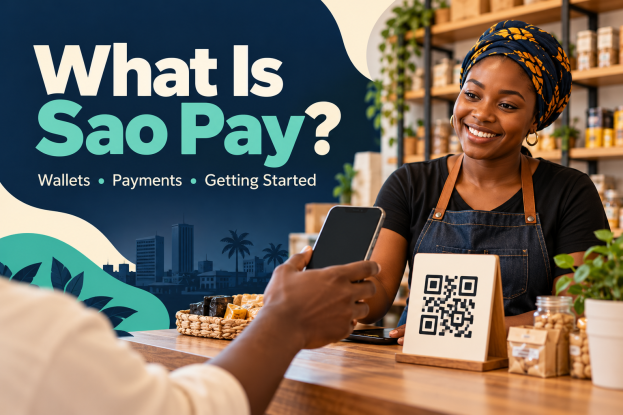
Heard about Sao Pay and wondering what it does?
Sao is a digital payments platform with services for people and businesses.
You can use its wallet to manage money, while its business tools help sellers receive payments.
Here’s what you need to know about Sao Pay in Ghana, how to get started, and what to check before putting money into an account.
1. What Is Sao Pay?
The names can be confusing. Sao is the wider platform. Sao Wallet is the personal wallet, Sao Pay is the service for accepting business payments, and Sao POS is its payment terminal for shop counters.
Think of a wallet as money you can manage from your phone.
A merchant payment service helps a shop collect money from customers. A POS terminal is the device you may see when paying at a counter.
2. Is Sao Pay Licensed in Ghana?
Yes. The Bank of Ghana’s remarks at SaoPay’s launch identify it as a new Dedicated Electronic Money Issuer, or DEMI. Sao’s Ghana business is called Sao Payment Ltd.
A DEMI licence allows an approved company to issue electronic money.
It does not mean every advertised financial product is automatically authorised, or that your money is free from all risk.
3. What Can You Do with Sao Wallet?
In its Ghana launch announcement, Sao lists sending and receiving money, bill payments, airtime purchases, QR payments and cash deposits or withdrawals through agents.
The company also announced Group Savings Wallets for families, susu groups and associations.
These are intended to show contributions and support agreed withdrawal rules. Ask who controls withdrawals and what happens when members disagree. Do not assume a group wallet pays interest.
4. How to Download the Sao Wallet App
Start from the official Sao website and follow its download buttons. As checked on 19 October 2026, these still point to beta versions, even though the company has announced its Ghana launch. Beta means a version being tested; features and access can change.
For Android, the official link opens the Google Play beta programme. You may need to sign in with your Google account and follow the joining instructions.
For iPhone, use the Sao Wallet Gh TestFlight invitation. Install Apple’s TestFlight app, open the invitation and install a compatible build if one is available.
If you cannot join or install it, contact Sao support. Avoid APK files sent by strangers or apps that simply use a similar name.
5. How to Open and Fund Your Account
The Ghana page directs users to verify with a Ghana Card. Have your own active phone number and Ghana Card ready, then follow the app’s registration and identity checks.
Set a private PIN when prompted. After verification, check the funding options shown in your account and confirm the recipient details before sending money. Start with a small amount so you can check that deposits and withdrawals work for you.
Sao’s Ghana page says its agent list is still being added and points users to its Accra office for assistance. Confirm an agent’s location and availability with support before travelling.
6. How Businesses Can Use Sao Pay
Merchants can accept payments through a printed QR code, a payment link shared with a customer, or a checkout connected to a website or app.
For example, if you sell clothing, you could send a customer a payment link instead of asking them to visit your shop.
Confirm the payment in your own account before releasing the goods. A screenshot from a buyer is not enough.
Ask Sao about merchant registration, supported payment methods, refunds, transaction charges and settlement times. Settlement means moving collected money into your receiving account. The company advertises same-day settlement; confirm the conditions and cut-off times for your business.
7. What Are the Fees and Limits?
Do not assume every transaction is free. A free download or a QR code with no upfront cost does not make transfers, withdrawals or merchant processing free.
Before confirming a transaction, check the amount being sent, the fee, the total deducted and what the recipient will receive. Ask support for the current Ghana tariff and your account’s transaction and balance limits.
Sao’s help centre currently states a GH₵10,000 daily limit for verified Ghana accounts.
Confirm the limit displayed for your own account, because verification level, transaction type and updated rules may affect what you can do.
This guide does not quote transaction fee amounts because a complete Ghana tariff was not verified for this article.
8. Can You Receive Money from Abroad?
Sao lists several African markets and has announced plans for more international payment connections. That does not confirm that every country, currency or transfer route is available in Ghana today.
Before giving someone abroad your details, ask support whether their country and payment method are supported. Confirm the exchange rate, fees, receiving currency and delivery time. Do not send money to a personal account offered by someone claiming to activate international transfers.
9. How to Keep Your Account Safe
Never share your PIN, password or one-time verification code. Use a screen lock, keep the app updated and check the recipient’s name and number before approving payments.
Do not pay a supposed registration agent who promises guaranteed returns. A payment wallet is not automatically an investment or an income scheme. Any claim about earning interest, loans or agent commissions needs its own verified terms.
If money is missing or a transaction fails, keep the transaction reference and contact official support. Do not post your Ghana Card, PIN or account screenshots publicly.
10. How to Contact Sao Pay Support
The official help centre lists 0308048660 and [email protected]. For a formal complaint, it lists [email protected] or the app’s Support → Complain option.
Keep your complaint reference. If you remain dissatisfied after Sao’s final response, its help centre says you can take the matter to the Bank of Ghana.
Before You Start
Choose the service you actually need: a personal wallet, a way to collect business payments, or a shop terminal. Use the official download links, confirm the current fees and try a small transaction first.
For more everyday payment tips, read our guide to reducing international card transaction fees in Ghana. Subscribe for more practical technology and money guides.