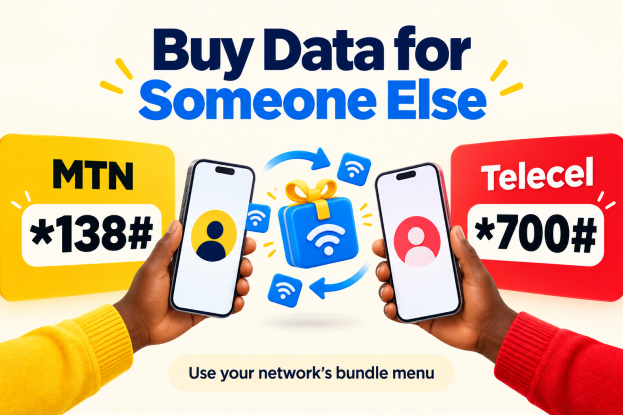
Want to buy a data bundle for a friend, child or family member?
You can buy data for someone else using your network’s shortcode or app. For MTN, start with *138#. For Telecel, start with the *700# bundle menu and check the gifting options available to your line.
Check the recipient’s number before paying. You are purchasing a bundle for their line; this does not necessarily transfer part of your existing data balance.
1. Buy MTN Data for Someone Else
- Dial *138# on your MTN line.
- Choose the option to buy a bundle, then Buy Data Bundle.
- Select Buy for Others.
- Enter the recipient’s MTN number and repeat it if prompted.
- Choose the amount or bundle, select Buy and choose an available payment method.
- Check the number and price, then follow the payment instructions.
MTN’s official guide describes this route. Follow the labels on your screen if the menu order changes.
Using the myMTN App
- Open the official myMTN Ghana app and sign in.
- Choose Buy/Send → Data.
- Choose the data amount and select Others.
- Enter the recipient’s MTN number.
- Select airtime or MoMo where offered, review the details and complete payment.
App labels may differ between versions. Download through MTN’s official website or the official app-store listing, and check the recipient field before approving.
2. Buy Telecel Data for Someone Else
- Dial *700# on your Telecel line to open the bundle menu.
- Look for a gifting or Buy for Others option offered to your line.
- If available, enter the recipient’s Telecel number.
- Choose the eligible bundle and follow the payment prompts.
- Review the recipient’s number, price and validity before confirming.
Telecel lists *700# on its official website for bundle subscriptions. A specific direct gifting shortcut is not confirmed here. If your menu does not offer buying for another number, check with Telecel through its official support channel before paying.
Using Telecel Play
Open the official Telecel Play app or visit Telecel Play and sign in. The service lets you buy bundles and manage your account.
In the bundle section, check whether your version offers a recipient field or gifting option. If it does, enter the other person’s Telecel number, choose a bundle and review the payment details. If it only shows your own number, do not pay expecting the bundle to reach someone else; use an available gifting route or contact Telecel.
3. Check That the Bundle Arrived
Keep your confirmation message or receipt, and ask the recipient to check their data balance.
If the bundle does not arrive, contact the network through its official support channel. Have the recipient’s number, payment time and transaction reference ready. Avoid repeating the purchase immediately if money has already been deducted.
Before You Pay
Confirm the recipient’s current network. A number’s prefix alone may not identify it because people can move their number between networks.
Check the bundle’s size, validity and restrictions. Some offers may be limited to certain customers or may not support gifting.
Enter any payment PIN yourself in the genuine payment prompt. Never share your PIN or verification codes with the recipient or anyone offering to help. See our mobile money account safety guide for more tips.
Frequently Asked Questions
Can I use the MTN gifting menu to buy a Telecel bundle?
The network gifting routes in this guide are for a recipient on the same network. Do not assume the MTN menu can buy Telecel data, or the Telecel menu can buy MTN data.
Do I need mobile internet to use the shortcode?
A USSD shortcode uses the mobile network rather than an internet connection. The apps and websites need internet access.
Can I reverse a bundle sent to the wrong number?
Do not assume reversal is available. Contact the network promptly with your transaction details; the outcome depends on its rules and the transaction.
Subscribe for more practical mobile phone guides.