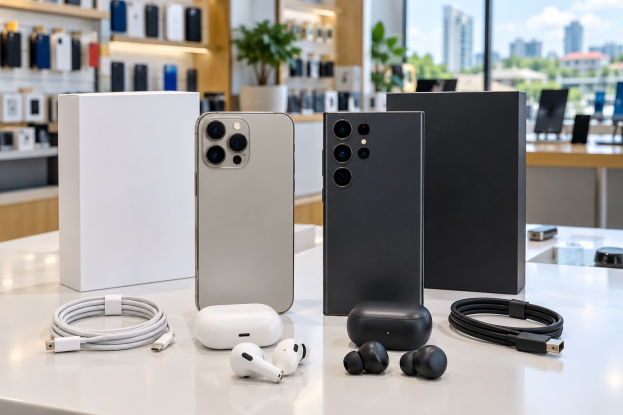
Planning to buy a brand-new iPhone or Samsung phone in Ghana?
Here are shops you can check for phones, accessories and after-sales support. You can visit their branches or use their official online shopping channels where available.
The brands, models and services available differ between shops. Check stock and the warranty for your exact phone before visiting or paying.
1. Shops to Check
Get4Less
Get4Less Ghana sells Samsung Galaxy phones and tablets, other mobile-phone brands, computers, gaming products, audio equipment and accessories.
It offers retail and wholesale shopping, with an online catalogue and ordering options. Ask about the warranty and support available for the phone you choose. If you want an iPhone, confirm availability directly rather than assuming every branch stocks it.
Electroland
Electroland Ghana lists Samsung Galaxy A-series and S-series phones, Galaxy tablets and wearable products. It also sells televisions, refrigerators, air conditioners and other home appliances.
You can check its online shop or visit a showroom. The company has after-sales services; confirm which service centre handles your particular phone and whether delivery is available to your location.
Browse its mobile-device catalogue before visiting.
Electromart
Electromart Ghana is part of Somotex Ghana. Its range includes handheld devices, accessories, computers, televisions and home appliances, with brands including Samsung, Infinix, Xiaomi and Tecno.
Its parent company describes showroom shopping, online shopping and after-sales support. Ask the branch which Samsung phones it currently stocks and whether phone repairs are handled there or at another service centre.
If the shopping website is unavailable, use the official company page to find out more and contact the business.
Telefonika
Telefonika lists Apple iPhones and Samsung Galaxy phones, alongside laptops, tablets, gaming consoles and smart gadgets.
You can shop online or contact one of its branches. Its website advertises a one-year warranty policy, subject to terms. Ask whether your chosen product qualifies and how a claim would be handled.
This is one of the shops to check when comparing iPhone and Samsung options in the same place.
CompuGhana
CompuGhana sells Samsung smartphones, computers, laptops, IT accessories, audio equipment and home appliances.
It offers online shopping, retail branches, corporate technology solutions and after-sales support. Ask about the support route for your phone and confirm iPhone stock if that is what you want to buy.
Its company information page explains its wider products and services.
Franko Trading
Franko Trading sells phones, laptops, accessories and other electronics, including home appliances.
Use its official website or contact a branch to confirm the iPhone or Samsung model you want, the available storage and the warranty. Its online shopping channel gives you another way to browse before visiting.
Ask for delivery terms and the procedure for reporting a fault before placing your order.
Melcom
Melcom lists Samsung Galaxy phones, including Galaxy A-series models. It also sells computers, appliances and many other household products.
You can use Melcom Online or visit a branch. Check the store finder and ask whether your chosen phone is available at that location.
Confirm the warranty, delivery options and returns procedure for the exact item. If you want an iPhone, enquire first; Samsung listings do not establish iPhone availability.
iStore Ghana at Accra Mall
iStore Ghana is an Apple-focused shop at Accra Mall. Its catalogue includes iPhones, iPads, Mac computers, Apple Watch, AirPods and accessories.
It offers product enquiries and quotations. Its services page describes technical support and assistance with warranty and out-of-warranty repairs.
For an iPhone repair, ask whether your exact model and fault can be handled, whether the required parts are available and how long the work will take.
Tell the shop exactly what you want
Ask specifically for a brand-new device and confirm the storage capacity, colour and exact model.
Ask whether it has been activated, used, refurbished or displayed in a showroom. Have the agreed condition recorded on your invoice.
A familiar shop name is a starting point. Still check the actual phone and purchase terms.
2. Buy Online and Get It Delivered
Several of these retailers offer online shopping and delivery. Others may require you to request a quotation or contact the shop first.
Use the retailer’s official website or an ordering channel confirmed through that website to browse products, compare prices and place your order.
Before paying, confirm that the phone is in stock and that delivery is available to your location.
Check the delivery charge, expected arrival time and payment options. Enter your full name, active phone number and clear delivery address.
Verify the payment recipient through the shop’s official channel. Keep your order confirmation and receipt.
You can also visit a physical shop to see the phone, ask questions and collect it yourself.
3. Accessories You Can Buy
Depending on the shop’s stock, you can also find:
- Chargers and charging cables.
- Phone cases and screen protectors.
- Earbuds and headphones.
- Power banks.
- Smartwatches.
Choose accessories compatible with your exact phone model.
If you want an original Apple or Samsung accessory, ask for that specifically. A compatible accessory may come from another brand.
Also check what comes inside the phone’s box. You may need to buy a charging adapter separately.
4. What About Replacement Parts?
If you need a replacement screen, battery, charging port or another part, enquire with the retailer’s service centre or repair department.
Not every shop repairs phones or sells loose parts. Parts availability depends on the model, and some parts may be supplied only as part of a repair service.
Ask whether the replacement is a genuine manufacturer part, who will install it and whether the repair comes with a warranty.
Get a quotation before approving the work. Ask about diagnostic charges and how your data will be handled. Back up your phone before handing it over.
5. Check the Warranty
Warranty and after-sales terms depend on the particular product and seller. Confirm them before buying.
Ask:
How long is the warranty, what does it cover, and where do I take the phone if it develops a fault?
Confirm whether it is a manufacturer warranty or a store warranty, and whether it can be serviced in Ghana.
Accidental damage, liquid damage and unauthorised repairs may be excluded.
Keep your receipt and warranty documents. A warranty does not automatically mean you can return the phone simply because you change your mind. Ask about the separate returns policy.
6. Check Your Phone Before Leaving
Confirm that you received the correct model, storage capacity and colour.
Ask the shop to explain the SIM options. Some imported iPhone versions use eSIM only, so check that the version suits your needs and works with your network.
Compare the serial number and IMEI in the phone’s settings with the box and invoice where recorded. A matching number is useful, but it does not by itself prove that a phone is genuine or brand-new.
Check the phone’s condition, included accessories and purchase documents. Where possible, test the display, cameras, charging and network connection before leaving.
If it is delivered, inspect the package and report any damage, missing items or incorrect product promptly.
Compare Before You Pay
Whether you choose Get4Less, Electroland, Electromart, Telefonika, CompuGhana, Franko Trading, Melcom or iStore Ghana at Accra Mall, compare the price, availability and warranty before paying.
Visit the shop or order through its official channel, and keep your receipt.
Subscribe for more practical phone-buying and technology guides for Ghana.